 TapToBite
KITCHEN DISPLAY SYSTEM
A kitchen display system that ends lost tickets.
Every order from your POS, website, app or phone lands on the kitchen screen instantly — timed, grouped and moved from New to Preparing to Ready with one tap.
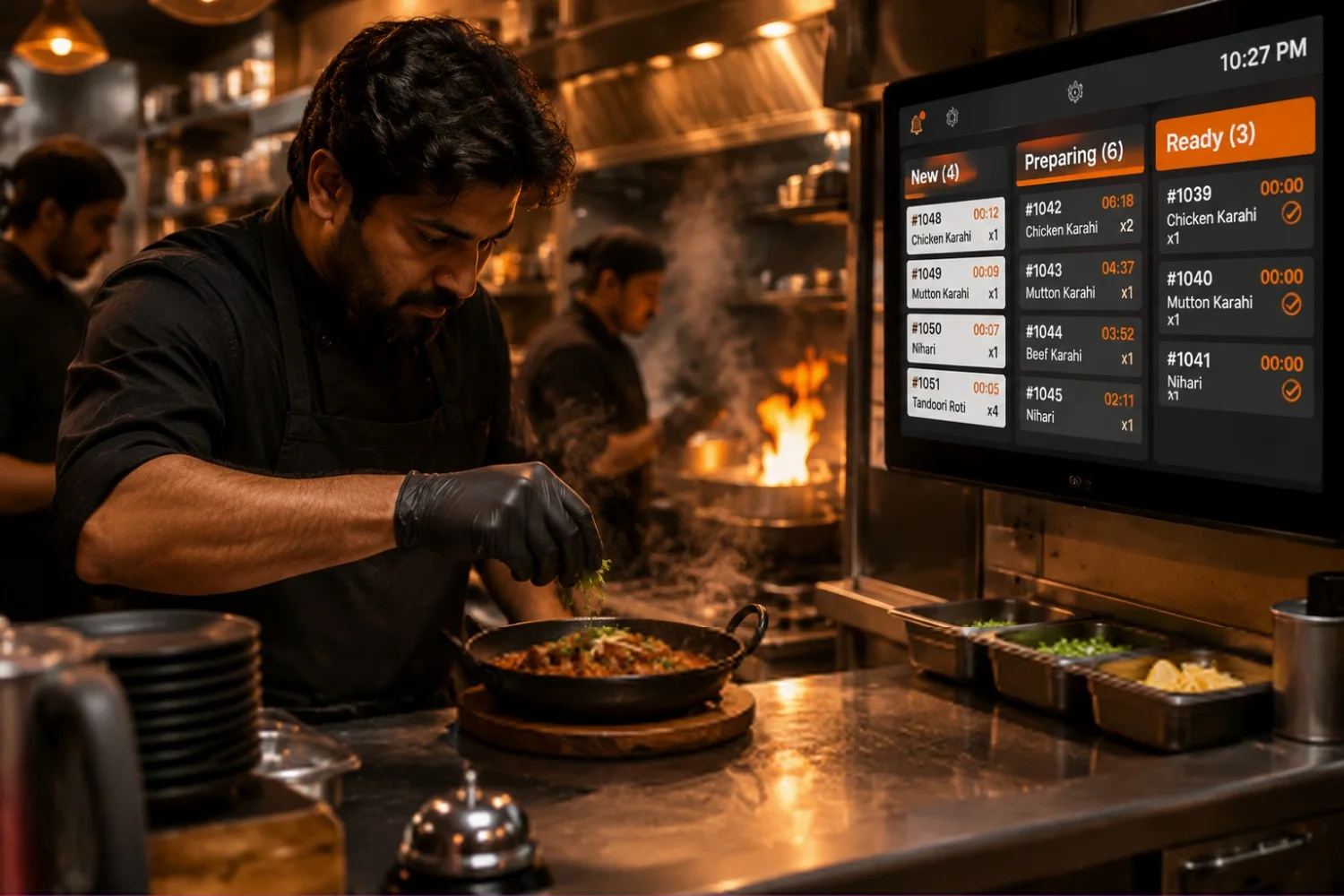
9:42 on the KDS
WHAT YOU GET
Everything in TapToBite kitchen display system. Nothing bolted on.
Three-column flow
New, Preparing and Ready columns the whole line can read.

Prep timers
Late tickets stand out before customers complain.
All channels, one queue
Dine-in, takeaway, delivery, website and app.
Per-branch screens
Each branch sees only its own orders.
Speed of service
Median prep, order-to-ready and order-to-door.
Any screen
Tablet, TV or monitor with a browser.
ONE ROOF
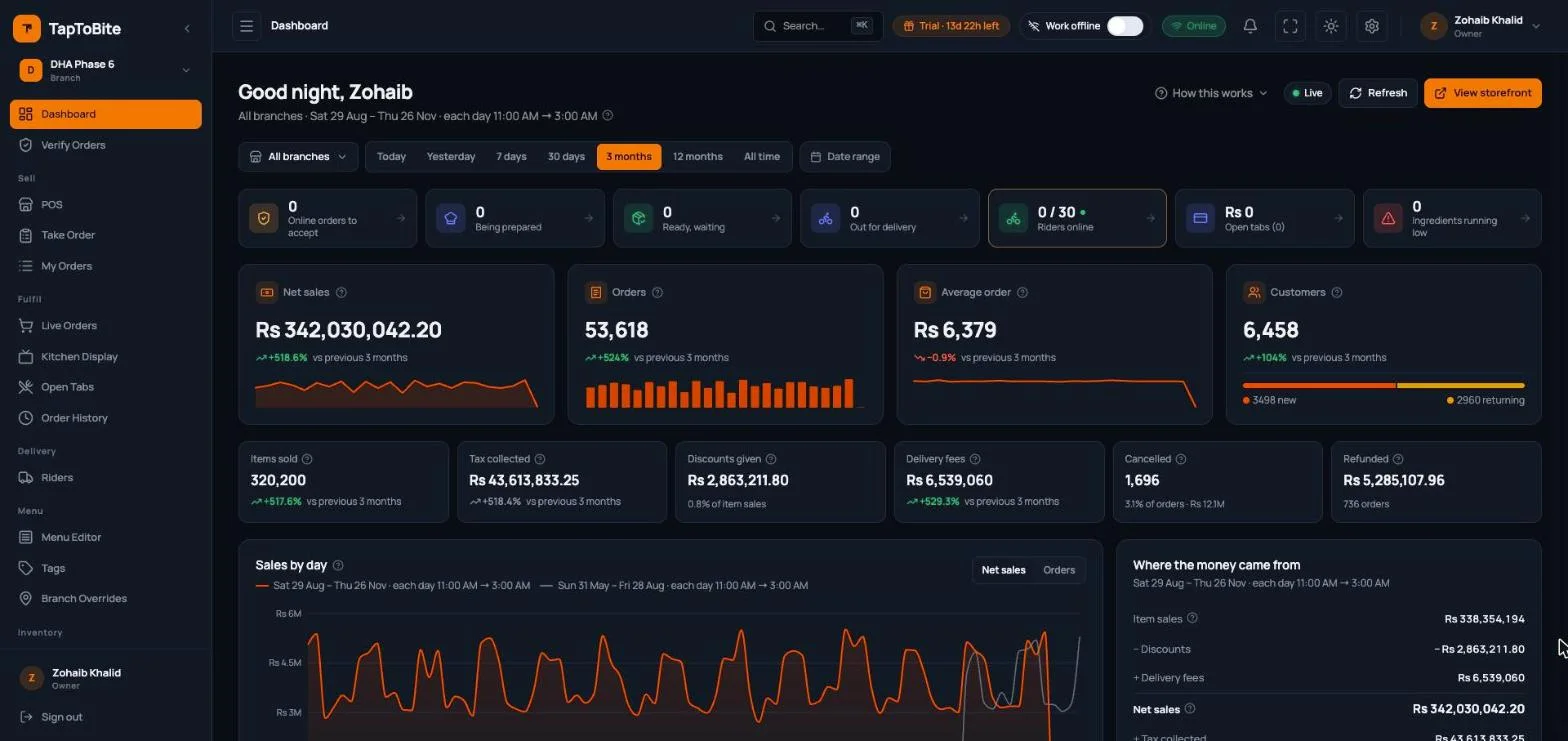
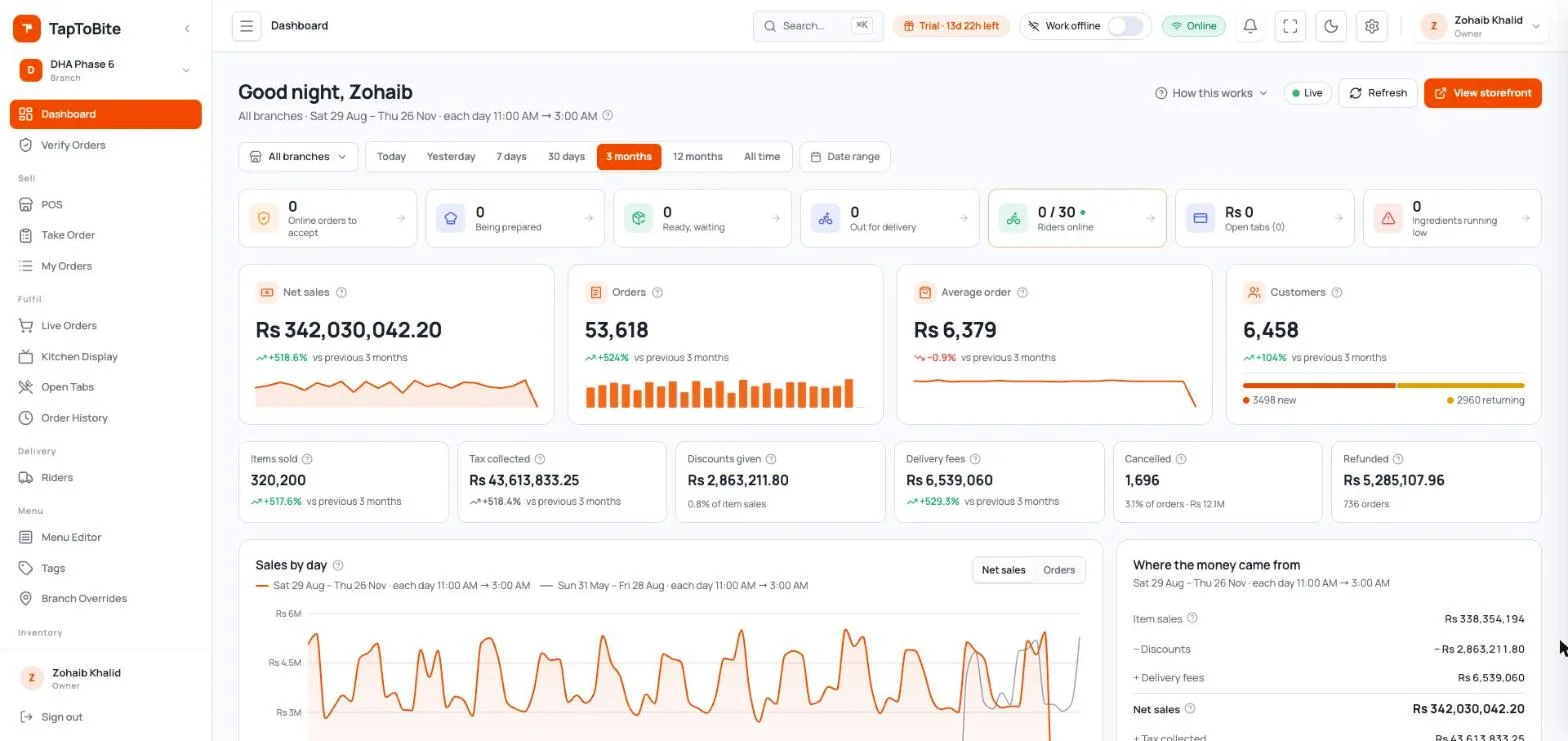
Works with your website, customer app and rider app — out of the box.
No integrations to maintain. Every TapToBite module writes to the same live order.
Kitchen display system FAQ
What is a kitchen display system?
A screen in the kitchen that shows incoming orders instead of printed tickets and records preparation times.
What hardware do I need?
Any tablet, or a TV or monitor with a small PC running a browser.
Try kitchen display system
with your own menu.
Website, customer app, rider app and POS — live on your menu in days. 14-day free trial, no card needed.